Build bids around real cost and production.
Combine quantities, crews, equipment, materials, production rates, mobilization, overhead, and profit in one estimate.
Explore Estimating GROUNDWORKEXCAVATION OS
From the first plan measurement to the last field report. Groundwork brings estimates, crews, equipment and job records into one connected workspace.
Private company workspaces · Access by requestExplore the actual app. From measured scope to resource costs and bid review, the detail stays connected to the job.
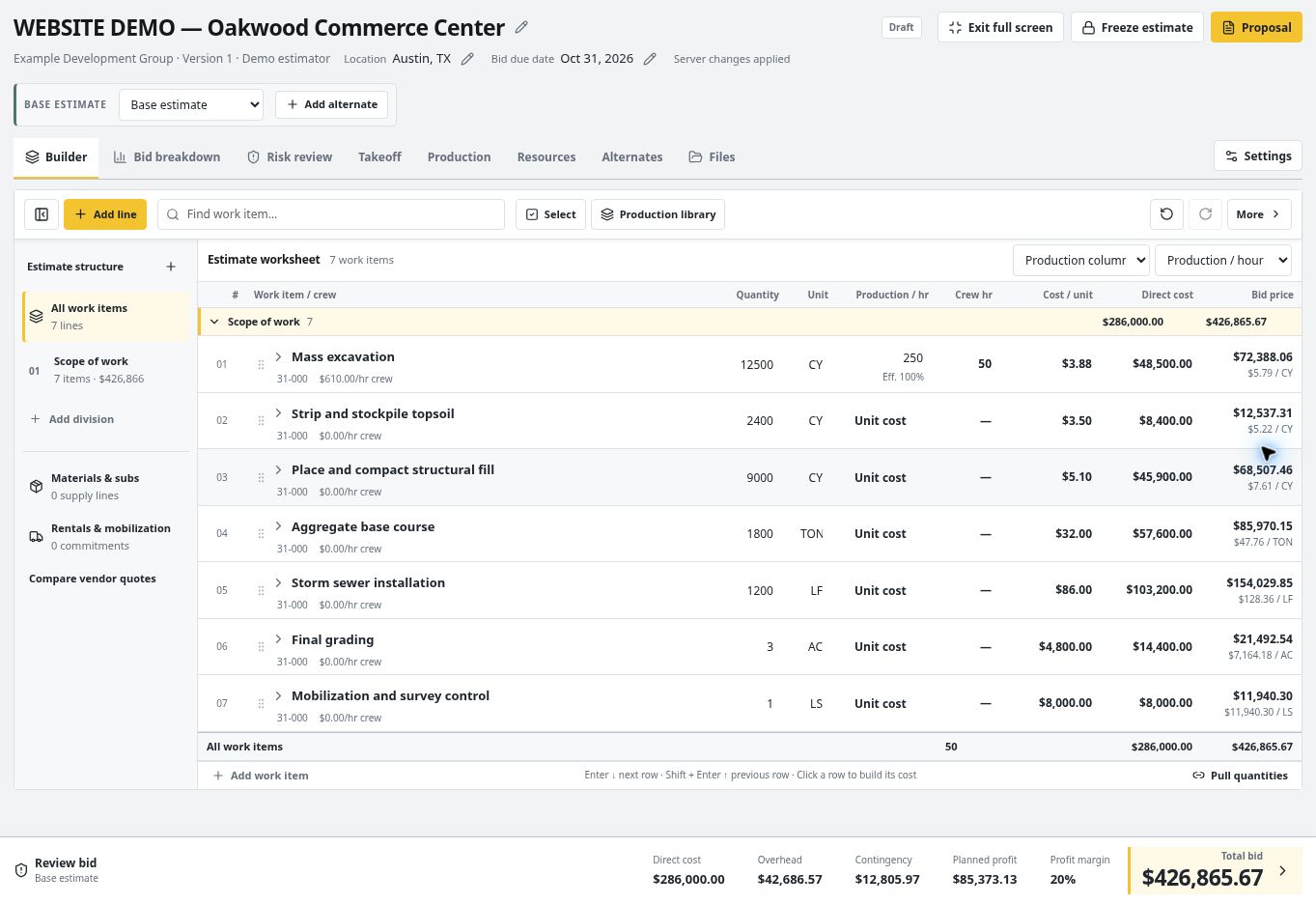
Keep quantities, production, crew hours and pricing together in a worksheet built for excavation.
Keep the assumptions used to price a job connected to the quantities, equipment, production rates, and actual field results that follow.
Keep multipage PDF sheets organized inside the project before quantities and pricing begin.
Calibrate scale, measure lengths, areas, perimeters, and counts, and preserve the quantity source.
Combine quantities, production, labor, equipment, material, mobilization, overhead, and profit.
Keep internal cost detail in the estimate while presenting the approved scope and price to the customer.
Keep time, quantities, project records, photos, tasks, equipment, and production connected to the job.
Review estimated and actual quantity, hours, production, cost, and variance after the work is recorded.
Review the completed-job evidence and decide which rate recommendation belongs in the library.
Combine quantities, crews, equipment, materials, production rates, mobilization, overhead, and profit in one estimate.
Explore EstimatingUpload multipage PDF plans, calibrate each sheet, measure the work, edit measurement points, and preserve the quantity source.
Explore Plan takeoffSave expected production, compare it with actual field performance, and approve or reject suggested rate updates.
Explore Production ratesGive assigned users focused access to projects, time, daily records, photos, quantities, tasks, equipment, and plans.
Explore Field operationsMaintain owned and rented equipment, operator configuration, calculated hourly cost, service details, and project use.
Explore Equipment costsCompare estimated and actual quantity, hours, production, and cost while preserving the original bid assumptions.
Explore Job historyGroundwork can replace many spreadsheet-based estimating workflows, but valuable company assumptions should be reviewed during setup. Existing rates and cost libraries can be entered or imported where the supported import format applies.
Production rates can be added to the reusable library and estimating data can be imported through supported Groundwork data tools. A spreadsheet is not silently changed or discarded.
Yes. Saved measurements and quantity takeoffs can be selected as sources for estimate line items so the quantity and its origin stay connected.
Yes. Completed-job lines can record actual quantity and hours beside the expected values and support a reviewed production-rate recommendation.
Talk to Groundwork Explore the product tour Starting at $49/month.